TROJAI DEFEND FOR MCP
Keep your agents in check: MCP security for the enterprise.
Secure agentic AI workflows by giving security teams the visibility, policy control, and run-time protection needed to secure Model Context Protocol (MCP) deployments.
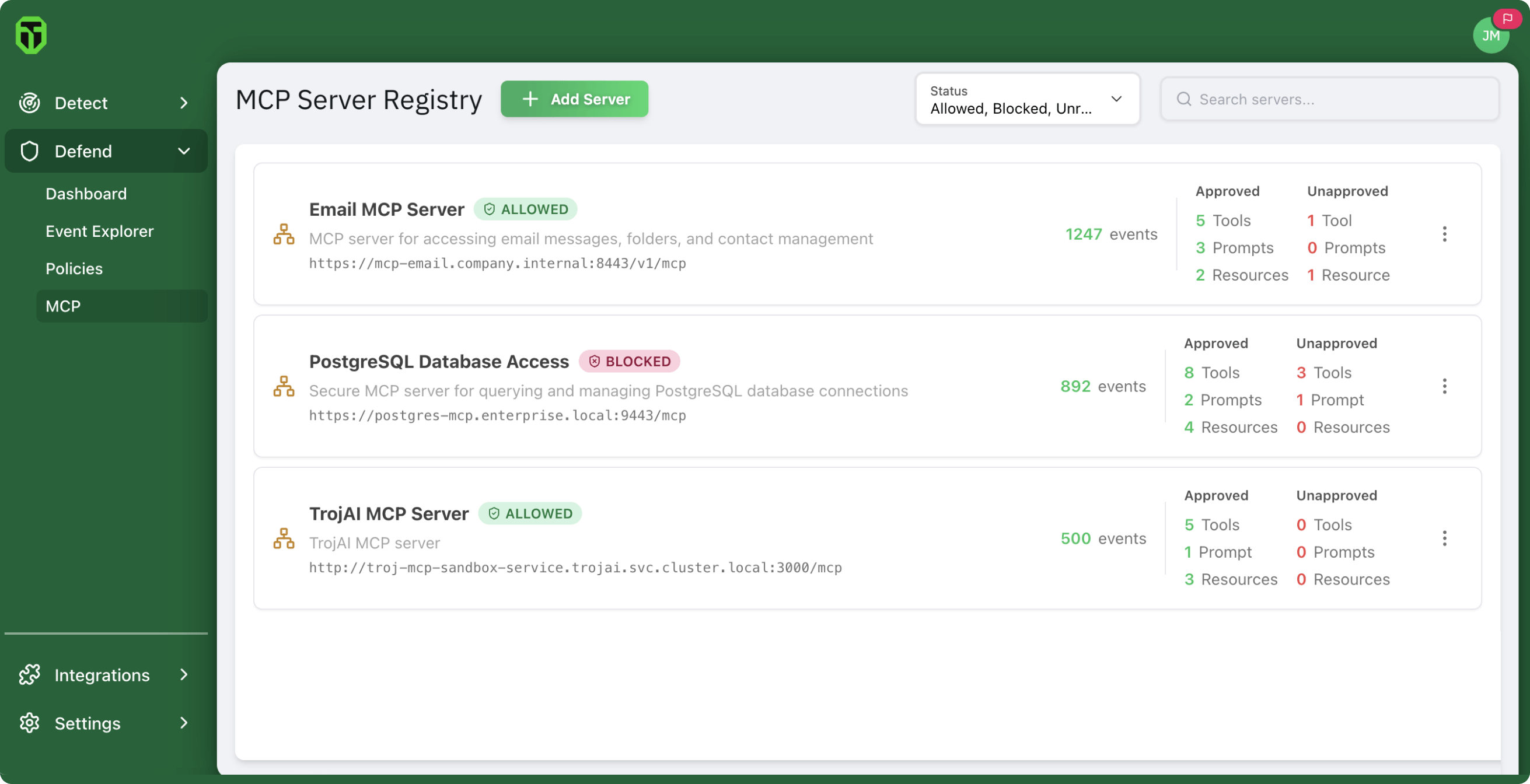
Secure agentic AI workflows by giving security teams the visibility, policy control, and run-time protection needed to secure Model Context Protocol (MCP) deployments.
MCP gives AI agents real autonomy, but with that freedom comes a new class of risk. Each connection, tool, and server introduces another moving part that traditional security tools weren’t built to see or control. Agentic AI-driven systems create and use tools dynamically, opening the door to new attacks.

Malicious or unverified servers can expose tools that perform unauthorized actions or leak sensitive data.

Even on trusted servers, unapproved tools can slip past security controls and act outside policy.

Attackers can hide prompt injections inside tool metadata — names, descriptions, or parameters that seem harmless but change how an AI model behaves.

Server or tool metadata changes after approval could signal tampering or a silent “rug pull” attack in which a trusted tool is quietly rewritten to do harm.
Identify all MCP servers and tools to stop unauthorized access by malicious actors.
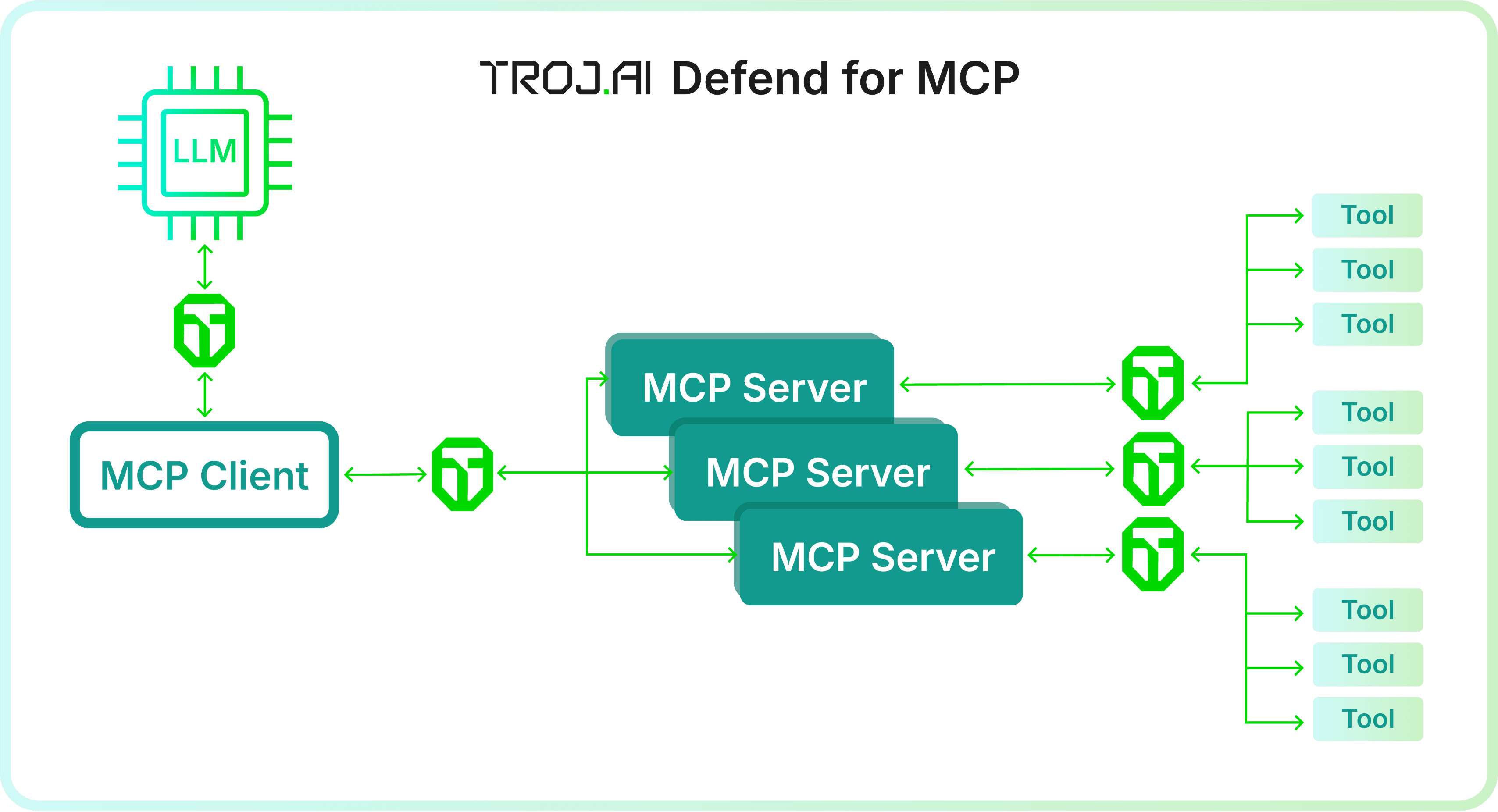
Discover all MCP servers in your environment
Register approved servers to eliminate shadow MCP
Approve MCP tools to prevent rogue or unauthorized tool usage
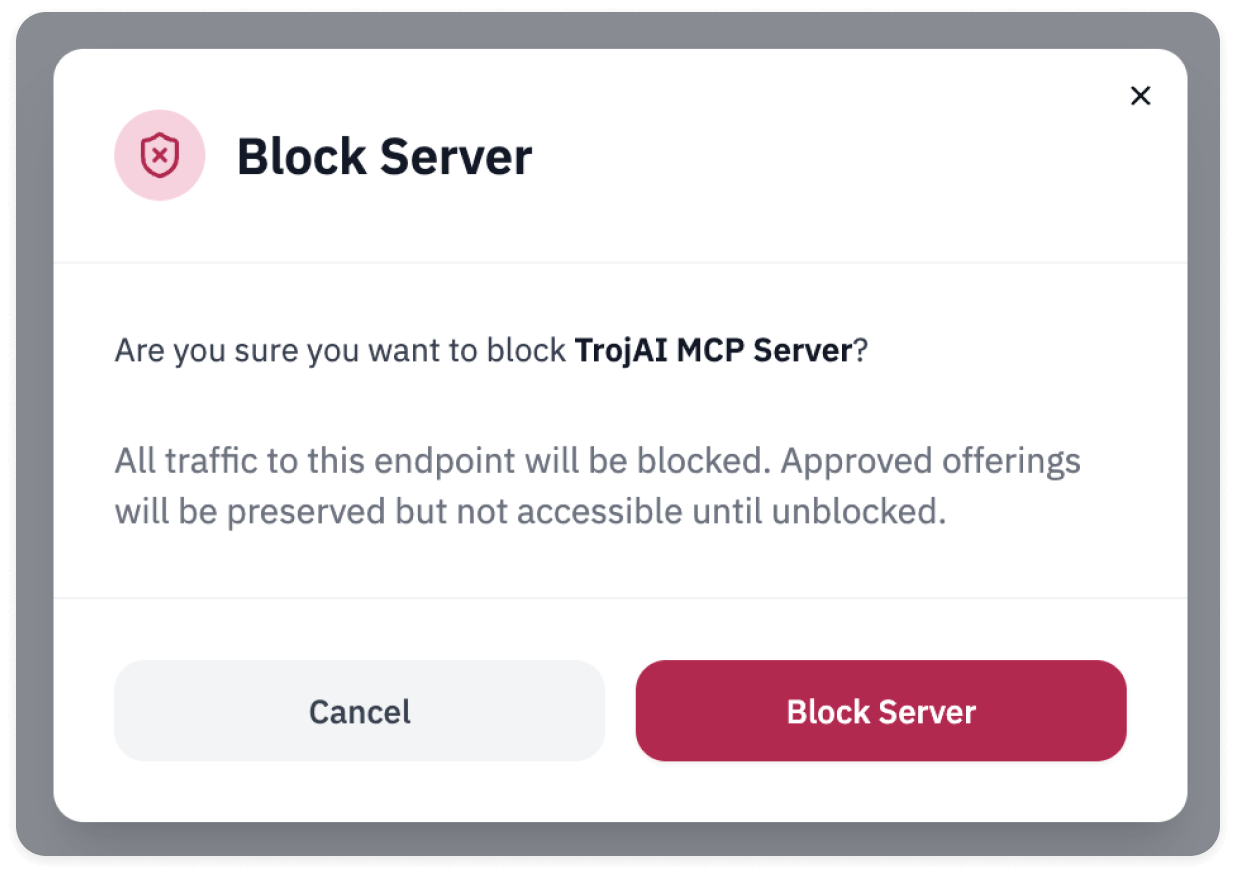
Gain full visibility into all MCP traffic to and from each server so you can block unregistered or rogue servers. Eliminate hidden communication paths to protect against common AI attacks like prompt injection, data exfiltration, and more.
Continuously track changes in tool definitions to prevent tampering, drift, or poisoning.

Automatically block traffic from unapproved tools or MCP servers outside approved paths
Stop prompt injections attacks hidden inside tool descriptions or metadata.
Revoke automated approval if changes to tool descriptions or metadata are detected.
Protect the enterprise with comprehensive MCP-specific policies that inspect, audit, and enforce security in real time, giving you end-to-end visibility and control.
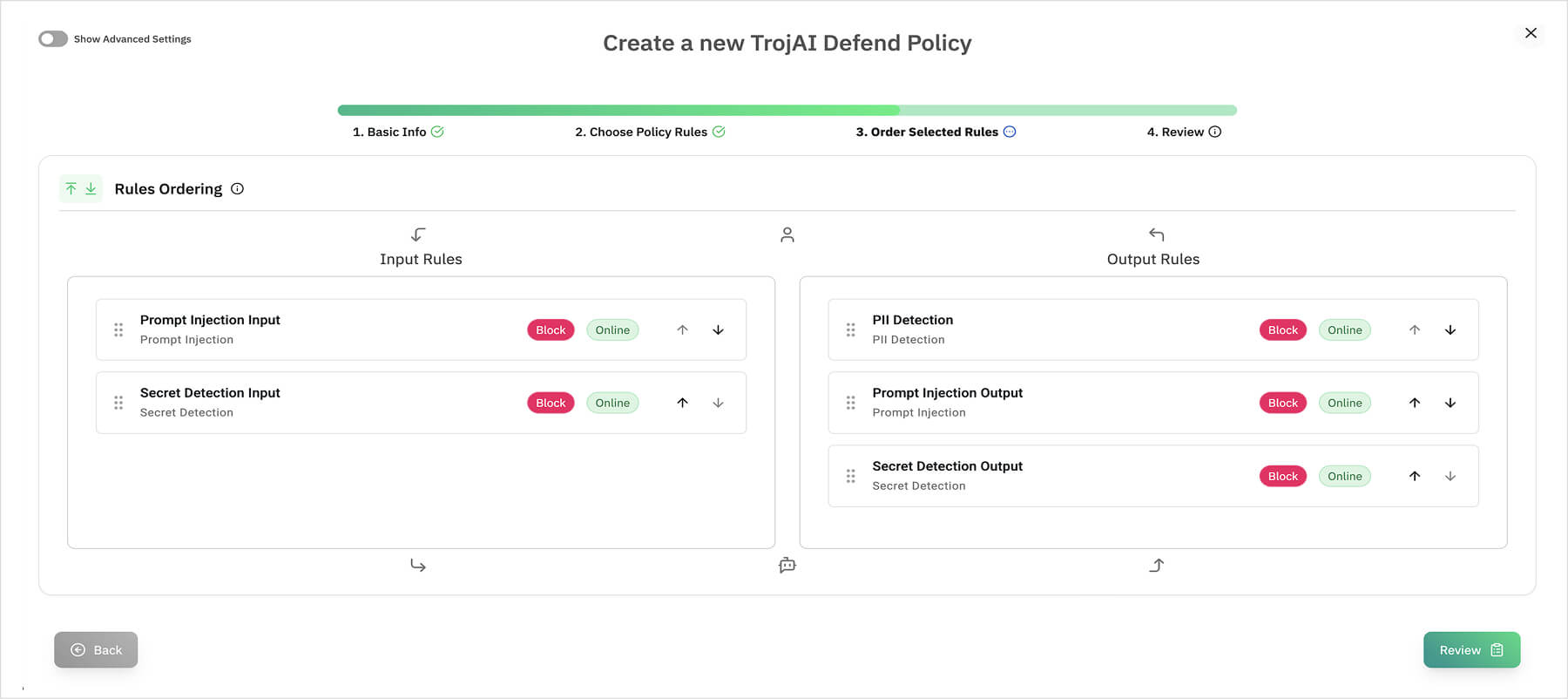

Strengthen governance by ensuring that all agent interactions comply with enterprise data handling rules

Detailed audit trails deliver evidence for compliance and incident response.


Representative Vendor:
2024 AI TRiSM
2024 Hype Cycle for Emerging Technologies
2024 Hype Cycle for Generative AI

TrojAI named to the 2021/2024
Top 100 Global AI Companies